Dedicated workspaces for tenancy members
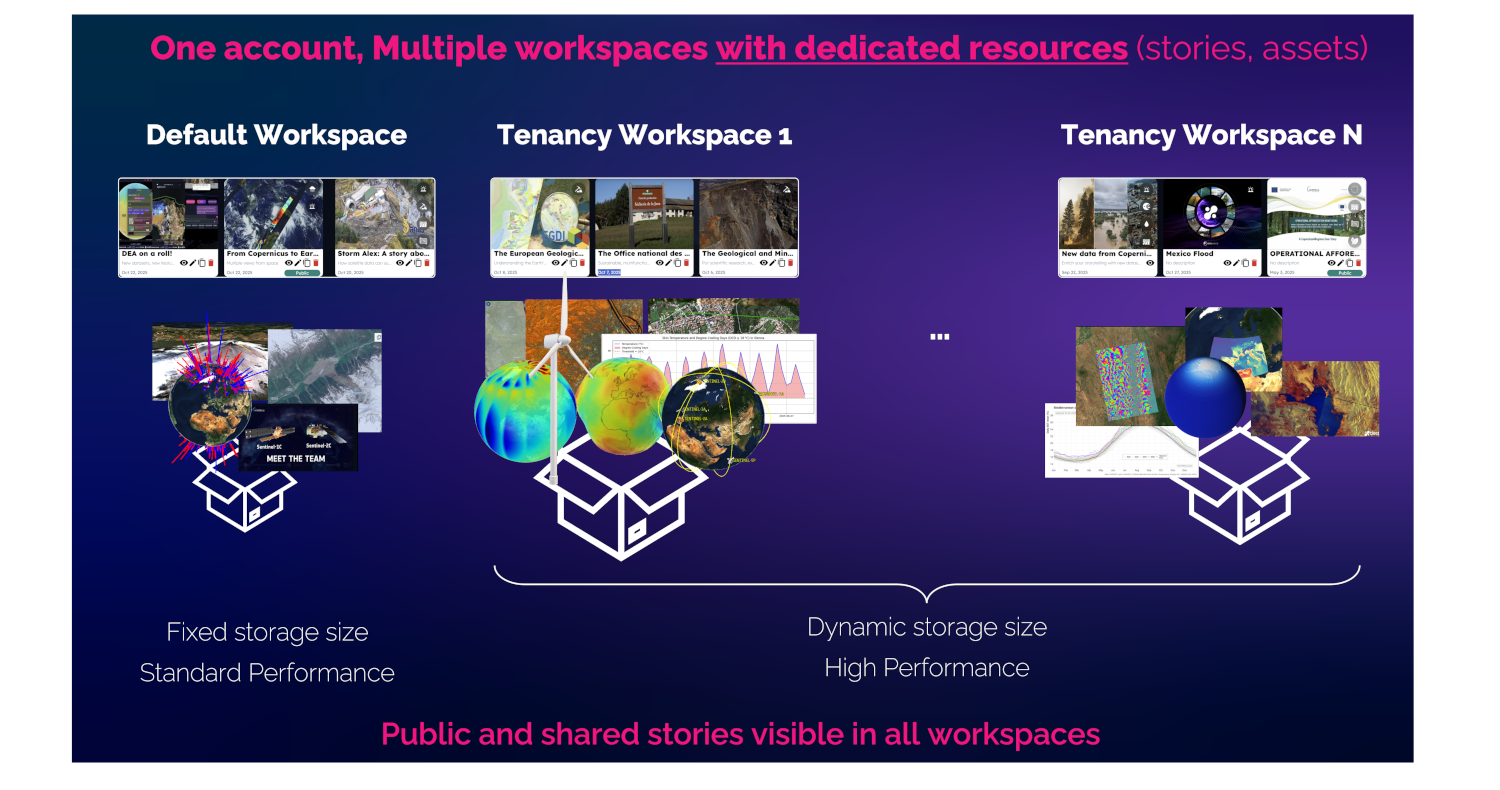
All DestinE users on DEA can access a default workspace with a storage of 10 GB for their own assets.
Since the DEA 1.8.0 release, project participants can access additional workspaces for managing their stories, with a reserved quota of cloud storage of sizes from 10 GB to 1 TB for their own assets, accessed with high performance.
With one account, a user can manage different environments, each one including his/her own stories and assets.
Public and shared stories are always visible regardless of the active workspace.
Only one workspace can be accessed at a time.
This segregation and reservation of resources will facilitate the implementation of new collaborative features, especially for organizations.
What is a “tenancy member” or “project participant”?
It is a user, a group of users or an organization that can access and manage dedicated resources offered by the services available on the DestinE Platform.
Being a tenancy member grants improved access capabilities to resources, grouped in projects, such as:
 Enhanced quotas
 Reserved features
 Premium datasets
 Collaboration Tools
How to request a tenancy and a project?
The possibility to create one or more Tenancies is reserved for every DestinE Platform Registered User.
A tenancy request can be submitted from the user’s
Account Settings page, by selecting the Tenancies option from the Tenancy menu, and then clicking on the Request Tenancy button.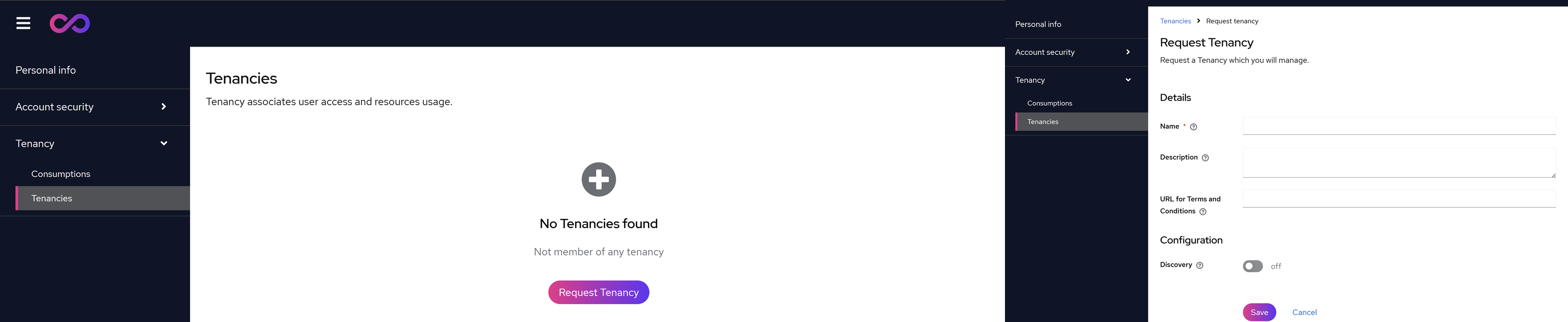
Once the tenancy has been created, users can request a project for it by clicking the
Request Project button on the new tenancy page.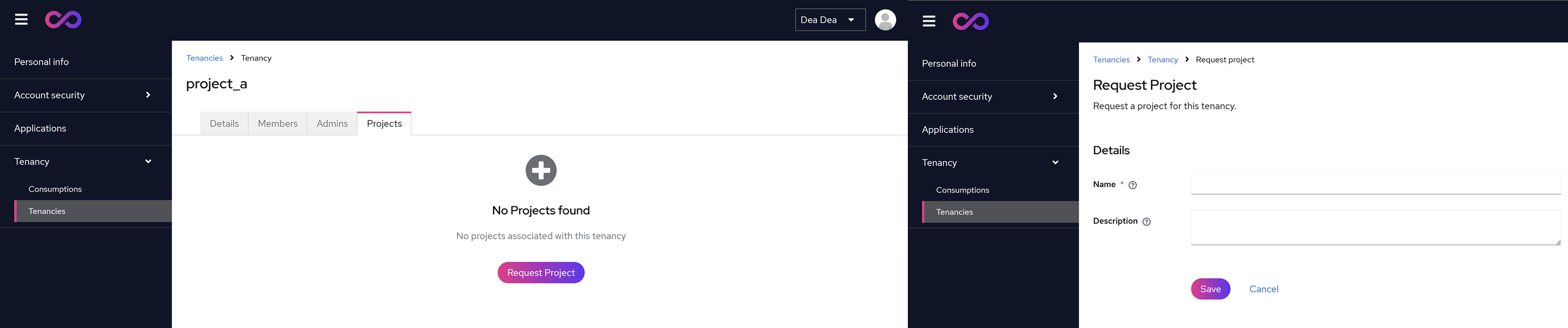
When the request is accepted, the associated resources will be allocated to the project and made available to users.
How to choose a tenancy context?
The active workspace or tenancy context can be chosen from the user’s
Account settings page, by selecting the proper Tenancy and Project as shown in the picture below.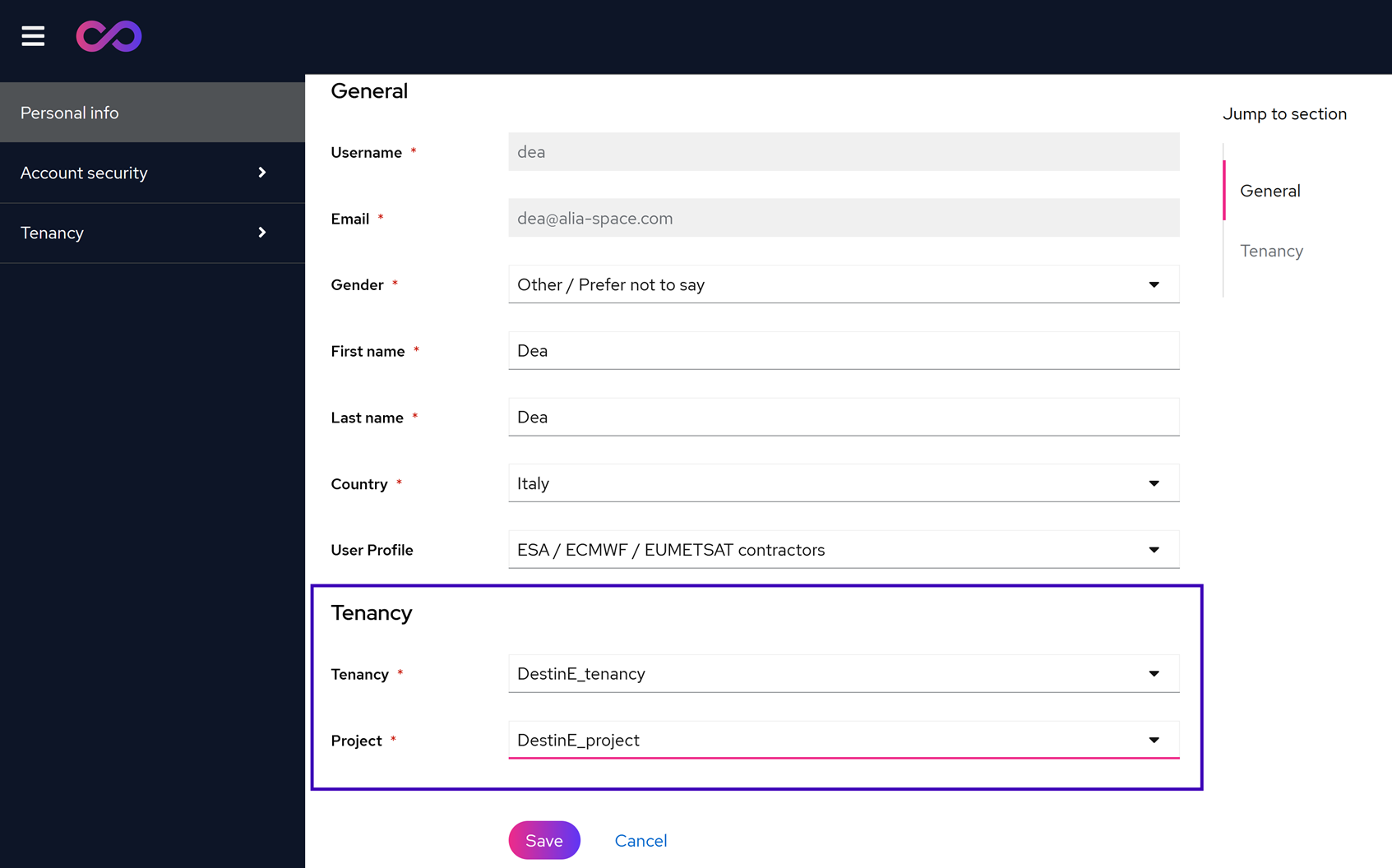
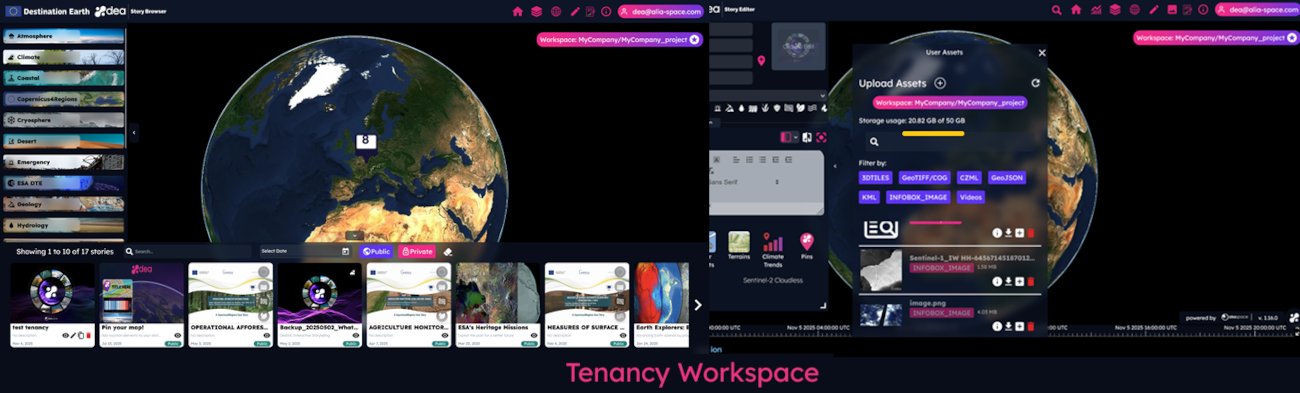
If a tenancy context different from the default one is active, the user is notified of this with a label shown in the Story Browser, in the Story Editor, and in the User Assets panel.
Users can edit only the stories created in the active workspace, using the assets available in the storage associated with it.
This is only the beginning of the new features that will be implemented in the context of the DestinE tenancy to improve collaboration and customization of DEA user stories.